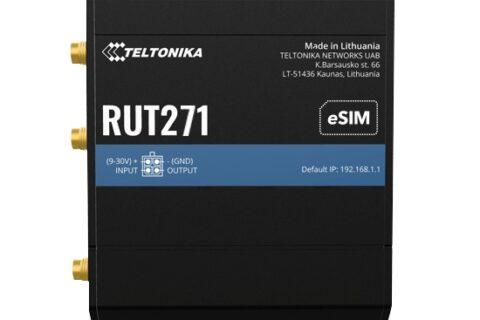

Teltonika’s Remote Management System (RMS) is the cloud platform that lets you look after your Teltonika routers from anywhere. You can check how a router is going, change its settings, update its firmware and even reach the equipment plugged into it, all from a web browser, without driving to site. It’s one of the best reasons to choose Teltonika. The licensing, though, can be confusing at first: credits, management packs, data packs and company data. This guide explains what RMS does and which licence you actually need.
Why RMS is so useful in Australia
Most Australian mobile plans don’t give you a public IP address, so you can’t simply type an address into a browser to reach a router on a 4G or 5G SIM. RMS gets around this. The router connects out to RMS, so you can reach it without a public IP, port forwarding or a separate VPN service. That works on any carrier, on Starlink and on NBN.
What RMS can do
RMS has three main services.
RMS Management
Monitor and manage the routers themselves: see whether each one is online, its signal and data usage, get alerts when something changes, change settings, and update firmware, one router at a time or across your whole fleet. You can also open the router’s own web interface or command line through RMS.
RMS Connect
Reach the equipment plugged into the router: a camera’s web page, a PLC, a solar inverter, a Windows PC or a server. RMS Connect supports HTTP/HTTPS, SSH, Telnet, RDP, VNC and SFTP, and works with non-Teltonika devices.
RMS VPN
Create VPN hubs that link several sites, devices and users together securely, managed from RMS rather than set up router by router.
How RMS licensing works
There are two separate things to pay for, and it helps to keep them apart.
- Management is paid by time, per router. Each router needs active management (from a credit or a management pack) to be monitored, configured and updated through RMS.
- Connect and VPN are paid by data. RMS Connect sessions and VPN hub traffic use data, which comes either from a shared pool for your RMS account (called company data) or from a data pack assigned to one router.
What you get free:
- Every new Teltonika router comes with a 1-month RMS trial.
- Every new RMS account gets 5 GB of company data to try RMS Connect and RMS VPN.
- Opening the router’s own web interface or command line through RMS uses no data. Data is only used when you reach equipment behind the router or use VPN hubs.
The purchase options
| Option | What it gives you | Best for |
|---|---|---|
| RMS credits | One credit = 30 days of management for one router. Or convert a credit into 2 GB of company data for Connect and VPN. | Short jobs, trials, or topping up company data |
| 6-month management pack | 6 months of management for one router | Pilots, seasonal equipment and short projects |
| 1-year management pack | 12 months of management for one router | Annual service contracts and yearly budgets |
| 3-year management pack | 3 years of management for one router | Most permanent installations |
| 5-year management pack | 5 years of management for one router | Long-term sites you want to set and forget |
| 10-year management pack | 10 years of management for one router | Infrastructure that will stay in place for the life of the router; the lowest cost per year |
| Connection data pack | 150 GB of Connect and VPN data for one router, valid for 10 years or until used | Sites where you regularly reach cameras, PLCs or PCs behind the router, or busy VPN hubs |
The longer the pack, the lower the cost per month. Management packs don’t include any Connect or VPN data, and data packs don’t include management, so if you need both, you buy both.
Which should I buy?
- “I just want to check my router and update it remotely.” A 3- or 5-year management pack for each router. You probably won’t need any data.
- “I install routers for clients on yearly contracts.” A 1-year pack per router lines up neatly with the contract.
- “It’s a trial, an event or a seasonal site.” Credits or a 6-month pack, so you only pay while it’s running.
- “I need to log into the cameras or PLC behind the router now and then.” Management for the router, plus the free 5 GB of company data. Top up with credits (2 GB each) if you run low.
- “I’ll be reaching equipment behind the router often, or streaming video through it.” Management plus a connection data pack, so that router has its own 150 GB.
- “I’m managing a fleet for years.” 5- or 10-year packs give the best value and mean no renewals to chase.
Good to know
- Packs are locked to one router. Once a management pack or data pack is activated on a router, it can’t be moved to another one. Teltonika support can help in special cases, such as a warranty replacement.
- Credits are the flexible ones. They sit in your RMS account until you assign them, so they’re handy to keep on hand.
- Watch company data if you use VPN hubs. If the shared company data runs out, routers that rely on it are disabled in the VPN hub until you add more data and re-enable them. Routers with their own data pack keep working.
- It’s all in one account. Licences are codes you add to your RMS account and then assign to a router, so you can see every router and every licence in one place.
Getting started
- Create a free account at rms.teltonika-networks.com.
- Add your router using its serial number and MAC address (both on the label), and check RMS is enabled in the router’s settings.
- Use the 1-month trial to try it out.
- Before the trial ends, add a credit or management pack so the router stays in RMS.
Need a hand?
Tell us how many routers you have, how long they’ll be in place and whether you need to reach the equipment behind them. We’ll suggest the most cost-effective RMS option, and we can quote bulk licences for fleets. Call 1300 803 755 or email sales@ltegear.com.au. You can browse all RMS licences in our store.
Choosing the router as well? See Which Teltonika router do I need?